

Short answer
The most common treadmill problems are a belt that slips or drifts, new squeaks or thumps, speed that surges or lags, a stuck incline and console or error-code faults. Many clear with a safety-key check, a quarter-turn belt adjustment, lubrication or a power cycle. Electrical smells, repeat error codes and motor or board faults are support jobs.
Key takeaways
- Most common treadmill problems trace back to tension, tracking, lubrication, dust or power.
- Always unplug and remove the safety key before any check or adjustment.
- Use quarter turns for belt tension and tracking, and retest between changes.
- Error codes differ by brand; look up your model and call support if they return.
- Electrical symptoms, worn belts, grinding bearings and board faults are service work.
Most treadmill problems announce themselves the same way: a belt that hesitates under your foot, a new squeak, a speed that will not hold or a code on the console. The good news is that many of them come from a handful of simple causes, such as belt tension, tracking, a dry deck, dust or a loose bolt, that owners can check safely in a few minutes.
This guide groups the most common treadmill problems by symptom, explains the likely causes, lists the safe owner fixes and shows where to stop and call the manufacturer. For step-by-step procedures, keep our treadmill maintenance guide and treadmill lubrication guide open alongside this one, and always follow your owner manual where it differs.
Start Here: Safety and a Quick Triage
Before you touch anything, stop the belt, remove the safety key and unplug the power cord from the wall, not just the switch. Some treadmills keep parts of the board powered when switched off, and a belt that starts unexpectedly can pull fingers or a cloth into the rear roller. Let the motor cool for a few minutes before opening the motor hood.
Keep children and pets out of the room while you test and adjust the treadmill. When the CPSC warned owners of the Peloton Tread+ in 2021, it described children, pets and objects being pulled under the rear of the machine; its advice to keep them away, unplug the treadmill when not in use and store the safety key out of reach applies to any treadmill. It is also worth checking the CPSC recall list for your model.
Then triage in order, from simplest to most complex: power and safety key, belt and deck, bolts and frame, electronics. Note what happened just before the problem started, record a short video of any noise or behavior and find your model and serial number. Those three things speed up any support call.
Treadmill Will Not Turn On or Stops Mid-Workout
A treadmill that will not power on is most often a missing or misaligned safety key. Seat the key firmly, then check that the cord is plugged into a working wall outlet, that the household breaker has not tripped and that the power switch is on. Some treadmills also have their own reset button or breaker near the power switch; your manual shows where.
A treadmill that stops during a workout usually has a simple trigger: the safety key clip pulled loose, a tripped circuit or a motor that overheated or overloaded. Extension cords, light-duty power strips and circuits shared with heaters or freezers can cause voltage drops that confuse the motor controller. Most manuals call for a grounded wall outlet, and larger running treadmills may need a dedicated circuit.
If the treadmill shuts down repeatedly under load, check belt tension and deck lubrication, since a dry deck or tight belt makes the motor work harder. If it still cuts out, or if it will not power on with a known-good outlet and key, contact support. Our maintenance guide covers outlets and surge protection, where advice varies by brand.
Watch out: Unplug the treadmill and stop using it if you smell burning, see sparks or smoke, or the breaker trips again after a reset. Do not use it until it has been inspected by service.
Belt Slipping, Hesitating or Drifting
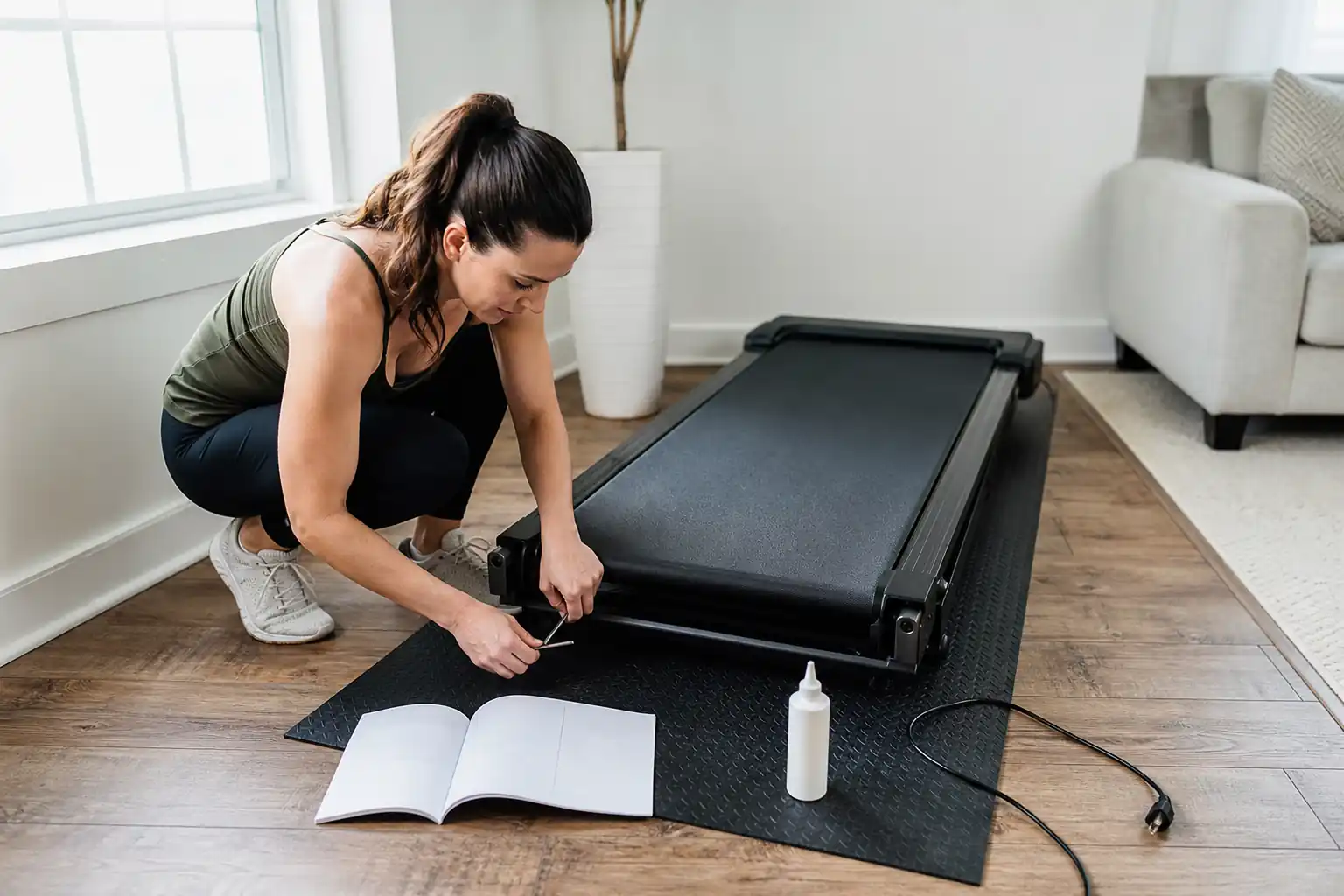
A belt that slips or hesitates when your foot lands is usually too loose. With the machine unplugged, check tension using the lift test in your manual, then tighten both rear roller bolts by the same quarter turn and retest at walking speed. A belt that feels heavy or grabby, with the motor laboring, often means a dry deck or a belt that is too tight.
A belt that drifts to one side needs tracking. Run it slowly with no one on it and watch which way it moves. On most treadmills, if the belt drifts left, you turn the left bolt a quarter turn clockwise; if it drifts right, you turn the right bolt clockwise. Make small changes and wait a minute between them. If the belt drifts only when you run, an off-center stride may be the cause; retest unloaded. Our lubrication guide covers the post-lube tension check.
| Symptom | Likely cause | Safe fix | Call support if |
|---|---|---|---|
| Belt slips under foot | Loose belt, lubricant on rollers | Equal quarter turns on both bolts | Slip continues: worn drive belt or belt |
| Belt hesitates, motor strains | Dry deck, belt too tight | Lubricate; check lift test | Strain continues after lubrication |
| Belt drifts to one side | Tracking off, uneven floor | Quarter turn on one bolt, level frame | Belt edge frays or rubs the frame |
| Belt jerks once per rotation | Belt seam, worn belt or deck | Check tension and lubrication | Belt or deck looks worn |
| Belt stops but motor runs | Drive belt slipping or broken | Unplug; do not run | Always |
Check Amazon for current pricing and availability.
Squeaks, Thumps, Grinding and Other Noises
New noises are usually early warnings. Squeaking often comes from loose bolts, the folding hinge or a dry deck; tighten frame and upright bolts, lubricate the deck as your manual describes and listen again. A rhythmic thump once per belt rotation is often the belt seam; it is normal if faint, but a louder thump can mean a worn belt, a loose belt or an uneven floor.
Grinding or a rising whine from the rollers points to worn bearings, which is service work. Clicking can come from debris under the belt or a drive belt rubbing inside the motor hood. A motor that gets louder with speed is normal; one that suddenly sounds rough, smells hot or pulses is not.
Some noise is part of the design. Testers found the NordicTrack T Series 10 louder than average during large incline changes, describing the sound as gritty, and fans add noise on many models. If you need a quieter machine, our best quiet treadmill and best quiet treadmill for apartment guides use measured noise where it is available.
Best Quiet Overall
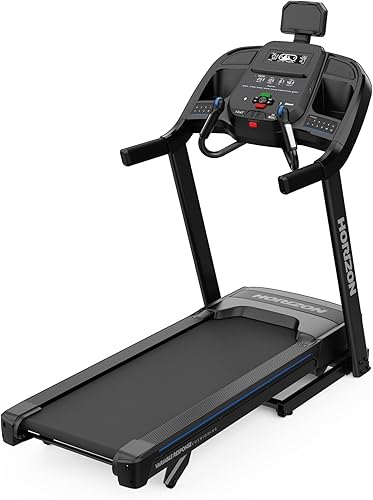
Horizon 7.0 AT
FitScore 81/100
Independent testing reported about 50 to 68 dB across speeds without a user, with a 3.0 HP motor and 20 × 60-inch deck.
Ranked in our Best Quiet Treadmill guide
Check Price on AmazonBest Compact Quiet Pick
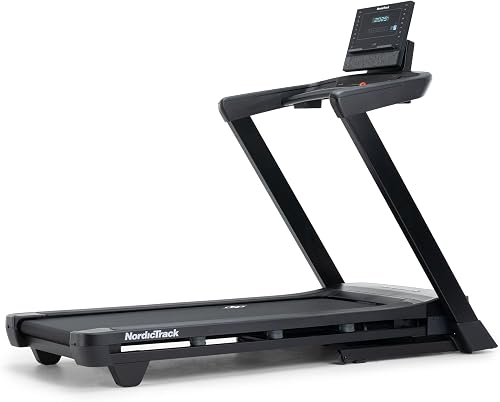
NordicTrack T Series 7
FitScore 79.1/100
A 2.6 HP motor and 20 × 55-inch deck with SelectFlex cushioning in a folding frame for smaller rooms.
Ranked in our Best Quiet Treadmill guide
Check Price on AmazonBest Value

XTERRA TR75
FitScore 71.9/100
Testers describe the belt and motor as quiet even at higher speed and incline; 3.0 HP and a 350-lb capacity.
Ranked in our Best Quiet Treadmill guide
Check Price on AmazonSpeed Problems: Surging, Lagging or Inaccurate Speed
Speed that surges or drops on its own can come from a slipping belt, a dirty or misaligned speed sensor near the front roller, a voltage problem or a failing control board. Rule out the simple causes first: check belt tension, make sure the treadmill is on its own grounded outlet without an extension cord, and clean dust from the motor area with the power off, as your manual describes.
A treadmill that feels slower than the display, or will not reach top speed, may be loaded near its limit or need calibration. Many treadmills have a speed calibration routine in the manual or service menu. Small differences between the display and a foot pod or watch are common, so compare against a measured method before assuming a fault.
If speed problems continue after those checks, the issue is likely the sensor, motor or board, which is warranty or service work. For a treadmill that holds speed well under load, see our best treadmill for running guide, where motor headroom carries weight.
Incline Motor Problems
An incline that sticks, stops partway or shows the wrong level is often a calibration issue, especially after a power cut or unplugging mid-adjustment. Most motorized-incline treadmills have a calibration routine in the manual; run it with no one on the deck and nothing under or around the frame.
Check for obstructions next. A mat that is too thick, an object under the deck or a cord caught near the lift mechanism can stop the incline. Grinding, clicking or an incline that will not move at all after calibration points to the incline motor or its sensor, which is a service job.
Incline speed and noise vary by model. In testing, the Horizon T101 moved through its full incline range in about 16 seconds, while other models change more slowly. Our best treadmill with automatic incline and best treadmill with incline guides compare incline systems.
Error Codes, Consoles, Bluetooth and Apps
Error codes are brand-specific, so do not guess from a code you saw on another machine. Look up the exact code in your manual or on the manufacturer support page for your model. Common categories are safety key or sensor errors, motor overcurrent, speed sensor faults and incline faults. Note what was happening when the code appeared, unplug the treadmill for a minute, and if the code returns, contact support with the code, model and serial number.
Console problems range from dead buttons to flickering displays and dropped connections. One Horizon T101 owner reported console readouts flickering when Bluetooth or Wi-Fi devices were active nearby, and a Horizon 7.0 AT owner had weeks of pairing trouble before the console was diagnosed as defective and replaced. A firmware update, re-pairing from the app and moving other wireless devices away fix many issues; repeated failures are warranty work.
App control has limits too. Testers found that FTMS apps could change incline but not speed on the Horizon T101, and a reviewer could not get a ProForm Pro 9000 onto Wi-Fi. Check app compatibility before you buy; our best treadmill with Bluetooth and best treadmill without subscription guides explain what works with which apps.
Safe Owner Fixes vs When to Call Support
Owner maintenance covers cleaning, lubrication, belt tension and tracking, tightening bolts, leveling, calibration and power cycling. Anything involving the control board, motor replacement, wiring or belt replacement is usually service work, and attempting it yourself can affect warranty coverage.
Before you call, read your warranty so you know which part and labor terms apply; the FTC explains how to read a warranty. Have the model, serial number, receipt, a description of when the problem started and a short video ready. If the treadmill is out of warranty and repairs keep stacking up, our guide on durable treadmills shows which models carry the longest coverage.
| Safe for owners | Call support |
|---|---|
| Seating the safety key, checking outlet and breaker | Burning smell, sparks, repeated breaker trips |
| Belt tension and tracking in quarter turns | Frayed, torn or badly worn belt |
| Deck lubrication with the specified product | Grinding rollers or bearings |
| Tightening bolts and leveling the frame | Cracked frame or welds |
| Vacuuming the motor area with power off | Motor or control board faults |
| Running speed and incline calibration | Error codes that return after a power cycle |
| Firmware updates and re-pairing apps | Console that fails repeatedly |
Best Replacement Overall

Horizon 7.4 AT
FitScore 89.7/100
A 3.5 CHP motor and 22 × 60-inch deck with a lifetime frame and motor, 5 years on parts and 2 years of labor.
Ranked in our Best Durable Treadmill guide
Check Price on AmazonBest Performance

Sole F89
FitScore 87.7/100
A 4.0 HP motor, 375-lb capacity, incline and decline, and a lifetime frame and motor warranty.
Ranked in our Best Durable Treadmill guide
Check Price on AmazonBest Smart Replacement

NordicTrack Commercial 1250
FitScore 84.1/100
A 3.6 HP motor, 22 × 60-inch deck, 400-lb capacity and −3% to 12% range with iFIT support.
Ranked in our Best Durable Treadmill guide
Check Price on AmazonTreadmill Troubleshooting Checklist
- Stop the belt, remove the safety key and unplug at the wall.
- Check the key, outlet, breaker and any reset button on the treadmill.
- Remove extension cords and power strips that the manual does not allow.
- Check belt tension with the lift test in your manual.
- Center the belt with small quarter turns.
- Lubricate the deck if it feels dry or grabby.
- Tighten bolts, check the hinge and level the frame.
- Run speed and incline calibration from the manual.
- Look up the exact error code for your model.
- Record a video and gather model, serial number and receipt before calling support.
Common Mistakes to Avoid
- Adjusting or cleaning the treadmill while it is plugged in.
- Turning the roller bolts in large turns instead of quarter turns.
- Using the wrong lubricant or over-lubricating the rollers.
- Guessing what an error code means from another brand.
- Running on a treadmill that smells hot or keeps tripping the breaker.
- Opening the control board or splicing a belt yourself.
The Bottom Line
- Start every fix the same way: stop the belt, remove the safety key and unplug the treadmill at the wall.
- Belt slipping and drifting are usually tension and tracking issues, fixed with equal or one-sided quarter turns on the rear roller bolts.
- A dry deck causes hesitation, extra noise and motor strain; lubricate with the product your manual specifies.
- Error codes are brand-specific: look up the exact code for your model, power cycle once and call support if it returns.
- Stop using the treadmill and unplug it if you smell burning, see sparks or the breaker trips repeatedly.
Our Top Picks
 Best Quiet OverallHorizon 7.0 ATFitScore81/100Check on Amazon
- Best Compact Quiet PickNordicTrack T Series 7FitScore79.1/100Check on Amazon
- Best ValueXTERRA TR75FitScore71.9/100Check on Amazon
- Best Replacement OverallHorizon 7.4 ATFitScore89.7/100Check on Amazon
- Best PerformanceSole F89FitScore87.7/100Check on Amazon
- Best Smart ReplacementNordicTrack Commercial 1250FitScore84.1/100Check on Amazon
Frequently Asked Questions
Usually because the belt is too loose or lubricant has reached the rollers. Tighten both rear bolts by the same quarter turn and retest; if it still slips, the drive belt or walking belt may be worn.
The safety key clip may be pulling loose, the circuit may be tripping, or the motor may be overheating from a dry deck or tight belt. Use a grounded wall outlet without an extension cord, and call support if it continues.
Run the belt slowly with no one on it and turn the bolt on the side it drifts toward a quarter turn clockwise, then wait and repeat. Check that the frame is level too.
Loose bolts, the folding hinge or a dry deck are the usual causes. Tighten bolts and lubricate as the manual describes; grinding or squealing rollers need service.
It depends on the brand and model. Look it up in your manual or on the manufacturer support page, power cycle once and contact support if it returns.
It may need recalibration after a power cut, or something may be blocking the lift. Run the calibration routine in the manual; if the incline still will not move or grinds, call support.
Owners can keep the motor area clean and cool, but motor and control board repairs are usually service work and may affect warranty coverage if done yourself.
Often yes, if the frame is sound and parts are available. Replace it if the frame is damaged, parts are discontinued or several major parts fail at once.
Explore More Treadmill Guides
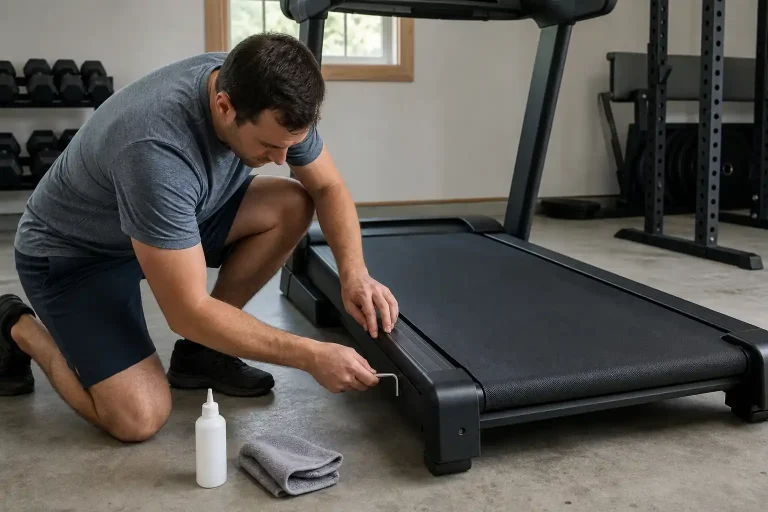
How to Maintain a Treadmill (2026): The Complete Home Care Guide
Best Durable Treadmill (2026): 5 Heavy-Duty Home Picks
Best Quiet Treadmill (2026): 5 Home-Friendly Picks
Treadmill Buying Guide (2026): How to Choose the Right Home Treadmill
Best Treadmill Brands (2026): Who Makes the Best Treadmill for Your Home
Best Treadmill for Home (2026): Top Picks Ranked for Faster, Smarter Buying
This article contains affiliate links. If you click through and make a purchase, we may earn a small commission at no extra cost to you. As an Amazon Associate, we earn from qualifying purchases. We do not show prices because they change constantly: product details and availability can change at any time, so please check the current price and details directly on Amazon. Learn more. Amazon and the Amazon logo are trademarks of Amazon.com, Inc. or its affiliates.
