

Short answer
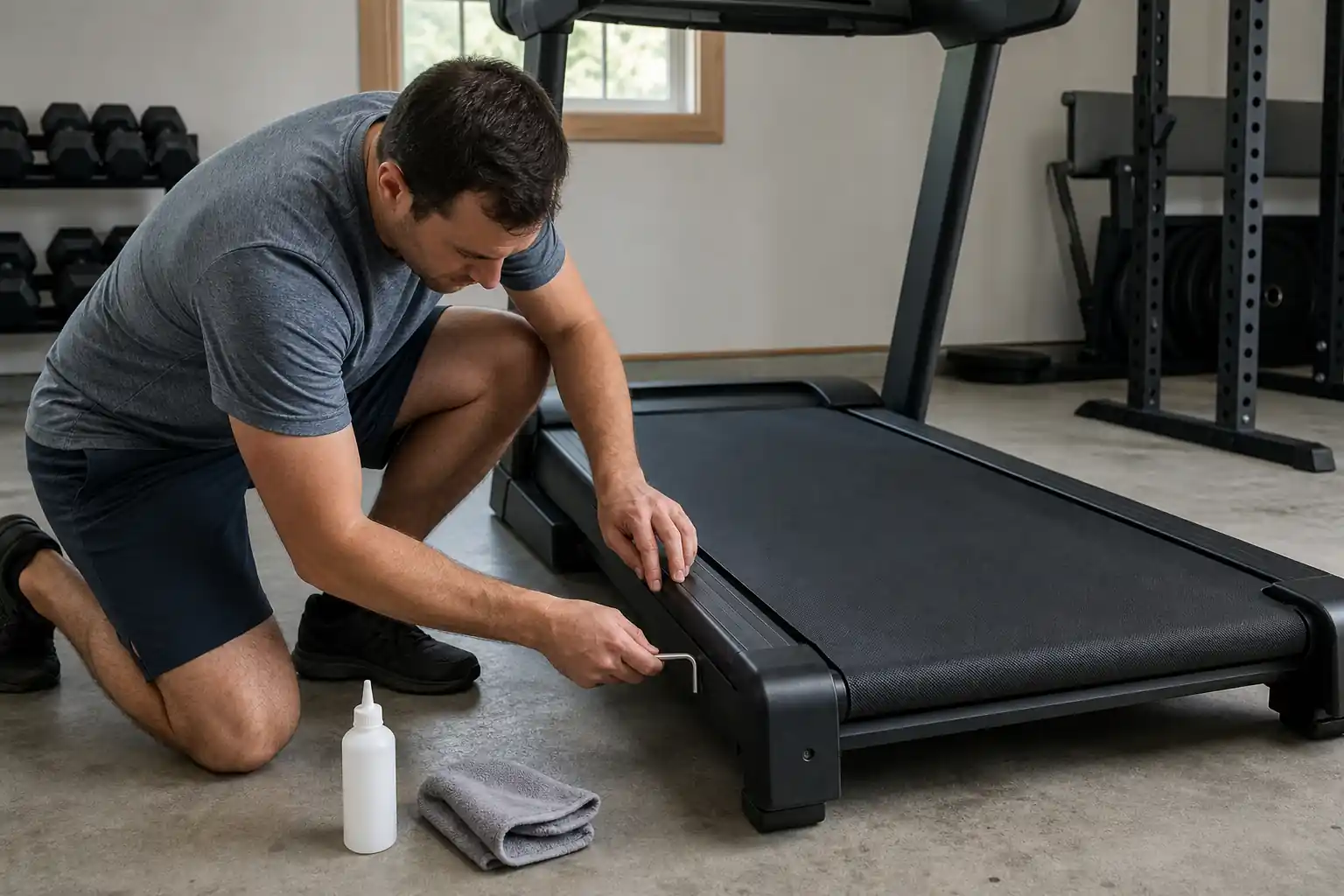
To maintain a treadmill, unplug it, wipe the console and rails after each workout, vacuum under and around it weekly, check belt tension and centering monthly, lubricate the deck with 100% silicone when the manual says, clear dust from the motor area a few times a year and tighten frame bolts.
Key takeaways
- Safety comes first: unplug, remove the key and keep children and pets away.
- Weekly cleaning and a mat prevent most dust-related motor and board problems.
- Lubricate only with what your manual specifies, usually 100% silicone.
- Adjust tension and tracking in quarter turns and test between each one.
- Use a grounded outlet and follow your manual on circuits and surge protection.
- Keep a maintenance log; it helps troubleshooting and warranty claims.
A home treadmill is a motor, a belt, a deck and a lot of electronics living on your floor. Most of the problems owners describe, from a belt that slips to a squeak that gets louder every week, start with a few small habits that were skipped: no cleaning under the deck, a belt that was never re-centered, a lubrication interval that was forgotten. The good news is that treadmill maintenance is simple, cheap in time and needs only a few tools.
This guide walks through every task in the order you will actually do it, with a weekly, monthly, quarterly and yearly schedule, a troubleshooting section and clear rules for when to stop and call the manufacturer. The steps apply to folding and non-folding home treadmills and, with a few differences we flag, to walking pads. If you are still shopping, our best durable treadmill guide ranks the models that hold up best to years of use.
Safety First: Before Any Maintenance
Every maintenance task starts the same way: stop the belt, remove the safety key and unplug the power cord from the wall, not just the switch on the machine. Many treadmills keep parts of the control board powered while the switch is off, and a belt that starts unexpectedly can pull a finger or a cleaning cloth into the rear roller. Wait a few minutes after a workout before you reach under the motor hood so the motor and electronics can cool.
Children and pets need their own rules. The U.S. Consumer Product Safety Commission documented cases of children, pets and objects being pulled under the rear of a treadmill, including the death of a 6-year-old, when it warned owners of the Peloton Tread+ in 2021. Its advice for that machine applies well to any treadmill at home: keep children and pets away while it runs, keep objects such as exercise balls away from the machine, unplug it when not in use and store the safety key out of reach of children.
Before maintenance, it is also worth checking whether your model is part of a recall. The CPSC keeps a searchable list of product recalls, and a recall repair is often free and should come before any of the routine work below.
- Unplug at the wall and remove the safety key before cleaning or adjusting.
- Never reach under a moving belt or near the rear roller while the machine is on.
- Keep the safety key clipped to your clothing when you run and stored away when you are done.
- Keep children and pets out of the room during workouts and maintenance.
- Fold folding decks fully and confirm the lock engages before you clean under them.
Watch out: If the treadmill smells of burning, sparks, trips a breaker repeatedly or shows a damaged cord, stop using it and contact the manufacturer. These are not home-maintenance issues.
Cleaning: After Every Workout and Every Week
Sweat is salty and slightly acidic, and over time it can corrode the console, the handrail sensors and painted metal. After each session, wipe the handrails, heart rate grips, console and any part of the frame you touched with a slightly damp microfiber cloth. Spray cleaner onto the cloth rather than onto the console so liquid does not run into buttons or the display.
Once a week, unplug the machine and vacuum around and under it. On a folding treadmill, fold the deck up and vacuum the floor it covered. Wipe the top of the belt with a damp cloth to remove grit, then let it dry before you walk on it. Dust, pet hair and carpet fibers that build up under the deck are pulled toward the belt and the motor hood every time the belt turns.
Walking pads need the same attention with one difference: their motor sits under a very low deck right next to the floor, so they pick up dust faster. Vacuum around them weekly and avoid running them on deep carpet. Our best walking pad guide covers the models with the easiest access for cleaning.
- After each workout: wipe rails, grips, console and frame.
- Weekly: vacuum around and under the treadmill, wipe the belt surface.
- Never use abrasive pads, bleach or solvent cleaners on the belt or console.
- Wear clean shoes used only indoors; outdoor grit wears the belt and deck.
How to Lubricate a Treadmill Belt With Silicone
The belt slides over the deck thousands of times per workout. A thin layer of lubricant between them reduces friction, which lowers the load on the motor and the heat on the control board. When the deck dries out, the belt can feel sticky or jerky, the motor draws more current and you may hear a rubbing sound. Too much lubricant is also a problem: it attracts dust and can make the belt slip on the drive roller.
Frequency depends on the model and how much you use it, so the manual is the authority. Many home treadmill makers suggest checking every few months or after a set number of hours or miles, and some low-maintenance decks need lubrication rarely. A simple test helps between intervals: unplug the machine, lift the edge of the belt in the middle and slide your hand along the deck. If it feels dry and grabby rather than slightly slick, it is time.
To apply, unplug the treadmill, loosen the belt slightly if your manual says to, lift one side of the belt and apply a thin line of silicone down the center of the deck, then repeat on the other side. Plug it back in, reinsert the safety key and walk slowly for a few minutes to spread the lubricant evenly. Wipe away any excess that reaches the belt edges or the floor.
- Use 100% silicone lubricant or the product your manufacturer sells.
- Never use WD-40, household oil, petroleum products or wax sprays.
- Apply to the deck under the belt, not to the top of the belt.
- Use a small amount; more is not better.
- Note the date and approximate hours in your maintenance log.
Pro tip: Buy lubricant from the treadmill maker or one labeled 100% silicone treadmill lubricant, and keep the supplied hex key taped to the frame. Some manuals also say to retension the belt after lubricating.
Belt Tension and Tracking: Centering the Belt
Two bolts at the rear of the deck, one on each side, move the rear roller. Turning both bolts equally changes belt tension. Turning one bolt more than the other changes tracking, which is how centered the belt runs. Belts stretch slightly in the first weeks, so new treadmills often need an adjustment early on, and then far less often.
A belt that is too loose slips or hesitates when your foot lands, especially at higher speeds or on an incline. A belt that is too tight adds load to the motor and wears the roller bearings faster. Many manuals describe a lift test: with the machine unplugged, lift the belt edge at the midpoint of the deck and check how far it rises. Follow the distance in your manual, because it varies by model.
For tracking, run the belt at a slow walking speed with no one on it and watch which way it drifts. On most treadmills, if the belt drifts toward the left, you turn the left bolt a quarter turn clockwise, or the right bolt a quarter turn counterclockwise; if it drifts right, you do the reverse. Stop the belt between adjustments, wait a minute at walking speed to see the result and repeat in quarter-turn steps. Large turns over-correct and can damage the belt edge.
| Symptom | Likely cause | What to do |
|---|---|---|
| Belt slips or hesitates under foot | Belt too loose | Tighten both rear bolts a quarter turn equally, retest |
| Motor labors, belt feels heavy | Belt too tight or deck dry | Check lift test, loosen slightly or lubricate |
| Belt drifts to one side | Uneven roller alignment or uneven floor | Quarter turn on one bolt, level the frame |
| Belt edge frays or rubs the frame | Tracking far off center | Stop, re-center, inspect for damage |
| Belt drifts only when you run | Uneven stride or off-center foot strike | Run centered; recheck tracking unloaded |
Check Amazon for current pricing and availability.
Bolts, Frame, Rollers and Leveling
Running creates vibration, and vibration slowly loosens fasteners. Once a month, unplug the treadmill and check the bolts that hold the uprights, console mast, handrails and folding mechanism. Snug them with the supplied tools but do not over-torque them, especially in plastic or aluminum parts. A wobbling console or a new clicking sound that follows your stride is often a loose upright bolt.
Check that the treadmill sits level. An uneven floor twists the frame slightly, which pushes the belt off center and stresses the rollers. Many treadmills have adjustable feet or leveling pads at the rear; use a level across the deck and adjust until it is flat side to side. On a folding model, inspect the hydraulic or gas strut and the locking pin each quarter, because these carry real force when the deck is raised.
Heavier users put more load on every one of these parts. If you are above about 250 lb, inspect bolts, rollers and the deck surface more often, and choose a machine with a stronger frame from the start. Our best treadmill for heavy people guide ranks models with higher weight limits and longer frame warranties, such as the Sole TT8 and the NordicTrack Commercial LE.
Highest Capacity

Sole TT8
FitScore 82.3/100
A heavy non-folding frame with a 22 x 60-inch deck and a lifetime frame and motor warranty, built for daily use by heavier runners.
Ranked in our The Best Treadmill For Heavy People guide
Check Price on AmazonBest for iFIT Users

NordicTrack Commercial LE
FitScore 80.4/100
A 3.6 CHP motor and a wide 22 x 60-inch deck for users who want streaming classes and a high weight limit.
Ranked in our The Best Treadmill For Heavy People guide
Check Price on AmazonBest Value

XTERRA Sport Series – TR75
FitScore 79.6/100
A 3 HP motor, 20 x 60-inch deck and lifetime frame and motor coverage at a more accessible tier.
Ranked in our The Best Treadmill For Heavy People guide
Check Price on AmazonMotor Area: Dust, Heat and Airflow
The motor hood at the front of the treadmill hides the drive motor, the drive belt and usually the motor control board. Fans and the motor itself pull air through this space, and with it dust, lint and pet hair. Over months, that layer traps heat around the electronics. Heat is a common reason control boards fail early, so this is the one area worth opening on a schedule.
Every few months, unplug the treadmill, wait for it to cool, remove the screws holding the motor hood and lift it off. Vacuum gently with a soft brush attachment, keeping the nozzle away from wires and connectors. Do not use compressed air at close range on the board, and never spray liquid inside the hood. While the cover is off, look for loose wires, a worn drive belt, black dust that suggests belt wear and any burnt smell.
If you see something you do not recognize, take a photo and close the hood. Opening the cover for cleaning is described in most owner manuals, but repairs on the board or motor are usually warranty work. Brands like Sole and Horizon pair lifetime motor coverage on models such as the Sole F89 with shorter parts and labor terms, so it pays to keep the motor clean and document it.
- Open the hood only with the cord unplugged and the motor cool.
- Vacuum with a soft brush; avoid wires, connectors and the board surface.
- Look for a worn drive belt, black belt dust, loose connectors or burn marks.
- Keep the treadmill a few inches away from walls and curtains for airflow.
Power, Outlets and Surge Protection
Motorized treadmills draw a lot of current when they start and when they accelerate under load. Most manufacturers ask for a grounded outlet and, for larger running treadmills, a dedicated circuit so the treadmill does not share power with a space heater, freezer or air conditioner. Check the outlet and circuit rating in your manual before setup, since some models call for a 20-amp circuit.
Avoid extension cords and light-duty power strips. They can overheat and cause voltage drops that confuse the motor controller. Guidance on surge protection varies by brand: some manuals recommend a surge suppressor rated for the treadmill, while others say to plug directly into the wall outlet. Follow your manual, because the wrong device can void a warranty claim on electronics.
Inspect the power cord monthly for pinches, especially on folding models where the cord can get caught when the deck is raised. Route it away from the rear roller and the folding hinge. If you store the treadmill unplugged, as the CPSC advises for homes with children in its Tread+ warning, coil the cord loosely rather than wrapping it tightly around the frame.
Watch out: If your treadmill repeatedly trips a breaker or GFCI outlet, do not keep resetting it. Note when it happens (at startup, at speed, on incline) and contact support or an electrician.
Mats, Placement and Noise Control
A treadmill mat is cheap insurance. It protects the floor from scuffs and lubricant drips, reduces how much carpet fiber and dust reaches the motor and dampens vibration and noise for neighbors and the rooms below. Choose a mat larger than the treadmill footprint and firm enough that the frame does not rock. Rubber mats work well on hard floors and carpet alike.
Placement matters as much as the mat. Leave clear space behind the treadmill and beside it, as described in your manual, so a fall from the rear does not end against a wall or furniture. Keep the machine away from damp basements and direct sun where possible, since humidity and heat age the belt and electronics faster.
Many noise complaints are maintenance issues in disguise. A dry deck, a loose belt, a loose bolt or a worn roller bearing all add noise. If you need a quieter machine from the start, our best quiet treadmill guide focuses on models with smoother drives and better isolation, such as the Horizon 7.0 AT and the Schwinn Fitness 815.
Best Quiet Overall
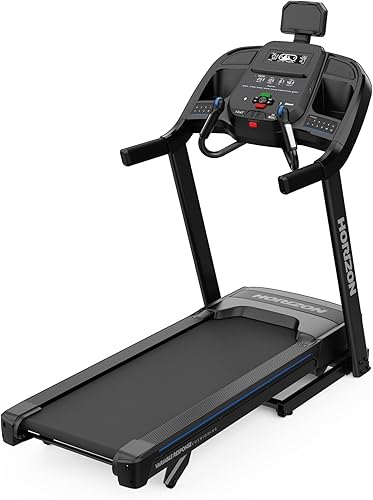
Horizon 7.0 AT
FitScore 81/100
A 3 CHP motor with a 20 x 60-inch deck and lifetime frame and motor coverage, with a smooth, steady drive for shared homes.
Ranked in our Best Quiet Treadmill guide
Check Price on AmazonBest Compact Pick
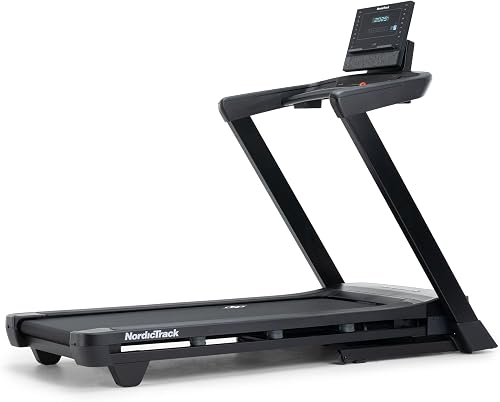
NordicTrack T Series 7
FitScore 79.1/100
A folding design with a 10-year frame warranty that suits smaller rooms where noise travels.
Ranked in our Best Quiet Treadmill guide
Check Price on AmazonLightweight Pick
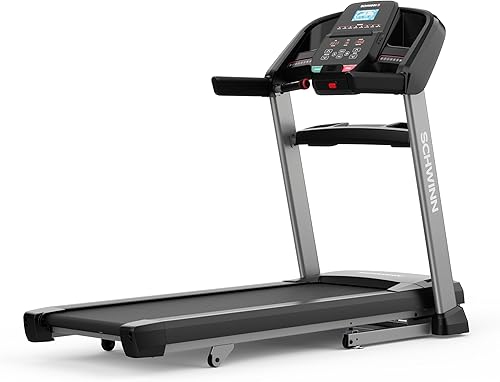
Schwinn Fitness 815
FitScore 70/100
A lighter folding treadmill with a 3 HP motor and 10-year frame and motor coverage, easy to move onto a mat.
Ranked in our Best Quiet Treadmill guide
Check Price on AmazonCalibration: Speed and Incline Accuracy
Over time, belt stretch, roller wear and sensor drift can make the displayed speed and distance differ from reality. A quick home check: mark a line on the belt with chalk or tape, measure the full belt length, then count how many times the mark passes in one minute at a set speed. Belt length times revolutions per minute gives distance per minute, which you can compare with what the console shows.
Most treadmills have a calibration or engineering mode, usually opened with a button sequence described in the manual or by support. Incline calibration runs the deck to its lowest and highest positions to reset the reference point, and it is often the fix when incline readings seem off or the deck stops at the wrong level. Run these routines with nobody on the belt.
If your numbers are off by a large amount after calibration, or the incline motor stalls, contact the manufacturer. Connected treadmills such as the NordicTrack Commercial 1750 also receive firmware updates, so keep the console software current, as some speed and incline issues are fixed that way.
Treadmill Maintenance Schedule: Weekly, Monthly, Quarterly, Yearly
The schedule below fits a typical home treadmill used several times a week. If you run daily, share the treadmill with several people or have pets that shed, move tasks one step up (monthly tasks become every two to three weeks, and so on). If your manual gives different intervals, the manual wins.
Keep a simple log with dates and what you did. It helps you spot patterns, such as a belt that needs re-centering every month, and it supports a warranty claim if a part fails. For durable machines with long coverage, see our best durable treadmill picks.
| When | Task | Time needed |
|---|---|---|
| After every workout | Wipe console, rails, grips and frame; remove safety key | 2 minutes |
| Weekly | Unplug; vacuum around and under the treadmill; wipe the belt surface | 10 minutes |
| Monthly | Check belt tension and tracking; inspect power cord; check frame bolts and leveling | 15 minutes |
| Every 3 months | Vacuum motor area under the hood; check deck lubrication; inspect folding strut and lock | 20 to 30 minutes |
| Every 6 months | Check speed and incline calibration; inspect belt and deck for wear | 20 minutes |
| Yearly | Full inspection of belt, deck, rollers and drive belt; consider professional service on heavy-use machines | 30 to 60 minutes |
| As the manual says | Lubricate the deck with 100% silicone | 10 minutes |
Troubleshooting Common Treadmill Problems
Most issues fall into a handful of patterns. Start with the simplest causes and work up: power and safety key, then belt and deck, then bolts, then electronics. Many problems clear after a careful cleaning, a lubrication check and a quarter-turn adjustment.
Error codes are brand-specific, so do not guess from a code you saw on another machine. Look up the code in your owner manual or the manufacturer support page for your exact model. Common categories include safety key or sensor errors, motor overcurrent, speed sensor faults and incline faults. Note what was happening when the code appeared, power cycle the treadmill by unplugging it for a minute, and if the code returns, contact support with the code, the model and serial number.
| Problem | Check first | If it continues |
|---|---|---|
| Will not start | Safety key seated, cord in wall, outlet working, breaker | Contact support with model and serial number |
| Belt slips | Belt tension, too much lubricant on drive roller | Inspect drive belt under the hood or call support |
| Belt drifts | Tracking bolts, floor level | Inspect belt edge and rollers for damage |
| Squeaking | Loose bolts, folding hinge, dry deck | Roller bearing wear; request a service check |
| Thumping each stride | Belt seam, loose belt, uneven floor | Worn belt or deck; replace under warranty if eligible |
| Burning smell | Stop immediately and unplug | Do not reuse until inspected by service |
| Error code | Owner manual code list, power cycle | Report the exact code to the manufacturer |
| Incline stuck or wrong | Run incline calibration | Incline motor or sensor service |
When to Call Support and How to Protect Your Warranty
Call the manufacturer instead of continuing on your own when you see electrical symptoms (burning smell, sparks, tripped breakers), when an error code returns after a power cycle, when the belt or deck shows visible wear or damage, or when an adjustment does not hold. Opening the control board, replacing a motor or splicing a belt is usually beyond owner maintenance and can affect coverage.
Warranty terms vary widely, so read yours before you need it. In our reviews, the Horizon 7.4 AT lists a lifetime frame and motor with 5-year parts and 2-year labor, while the NordicTrack Commercial 1750 lists 2 years across frame, motor, parts and labor, and many walking pads such as the Acezoe P14 list 1 year. Terms change, so check the current warranty on the product page and register the treadmill right after delivery.
Keep the receipt, the serial number and your maintenance log together. Support teams commonly ask for photos or a short video of the problem, so record the noise or behavior before you call. If you want the longest coverage on your next machine, our best durable treadmill guide weighs warranty length heavily.
Most Durable Overall

Horizon 7.4 AT
FitScore 89.7/100
Lifetime frame and motor, 5-year parts and 2-year labor, with a 3.5 CHP motor and a 22 x 60-inch deck.
Ranked in our Best Durable Treadmill guide
Check Price on AmazonBest Performance

Sole F89
FitScore 87.7/100
A 4 HP motor and 22 x 60-inch deck with lifetime frame and motor coverage and 3-year parts.
Ranked in our Best Durable Treadmill guide
Check Price on AmazonWarranty-Focused

Bowflex T7
FitScore 79.9/100
15-year frame and motor, 5-year parts and 2-year labor coverage for owners who value long protection.
Ranked in our Best Durable Treadmill guide
Check Price on AmazonTreadmill Maintenance Checklist
- Unplug the treadmill and remove the safety key before every task.
- Wipe rails, grips and console after each workout.
- Vacuum around and under the treadmill weekly.
- Check belt tension with the lift test from your manual each month.
- Run the belt slowly and confirm it stays centered.
- Snug frame, upright and folding mechanism bolts monthly.
- Inspect the power cord and plug for damage.
- Check the deck for dryness and lubricate with 100% silicone when due.
- Vacuum the motor area under the hood every few months.
- Run speed and incline calibration twice a year.
- Update console firmware on connected models.
- Log every task with the date and any adjustment made.
Common Mistakes to Avoid
- Using WD-40, oil or household sprays instead of 100% silicone lubricant.
- Making large turns on the tension bolts instead of quarter turns.
- Cleaning or adjusting with the cord still plugged in.
- Running the treadmill on thick carpet without a mat, which feeds fibers into the motor area.
- Plugging into an extension cord or a light-duty power strip.
- Leaving the safety key in the console where children can reach it.
- Ignoring a new noise until it turns into a failed part.
The Bottom Line
- Always unplug the treadmill and remove the safety key before any cleaning, adjustment or inspection.
- Use only the lubricant your manual specifies, usually 100% silicone; never use WD-40, oil or household sprays on the deck.
- Adjust belt tension and tracking in small quarter turns, equally on both rear roller bolts unless you are correcting drift.
- Dust and pet hair are the main enemies of the motor and control board, so a mat and regular vacuuming do most of the work.
- Keep your maintenance log and receipts: many warranty claims ask whether the machine was cared for as the manual describes.
Our Top Picks
 Highest CapacitySole TT8FitScore82.3/100Check on Amazon
- Best for iFIT UsersNordicTrack Commercial LEFitScore80.4/100Check on Amazon
- Best ValueXTERRA Sport Series – TR75FitScore79.6/100Check on Amazon
- Best Quiet OverallHorizon 7.0 ATFitScore81/100Check on Amazon
- Best Compact PickNordicTrack T Series 7FitScore79.1/100Check on Amazon
- Lightweight PickSchwinn Fitness 815FitScore70/100Check on Amazon
- Most Durable OverallHorizon 7.4 ATFitScore89.7/100Check on Amazon
- Best PerformanceSole F89FitScore87.7/100Check on Amazon
- Warranty-FocusedBowflex T7FitScore79.9/100Check on Amazon
Frequently Asked Questions
Wipe it after every workout, vacuum around it weekly, check belt tension and tracking monthly and clean the motor area every few months. Lubricate the deck on the interval in your owner manual.
Use 100% silicone treadmill lubricant or the product your manufacturer sells. Do not use WD-40, household oil or petroleum-based products, which can damage the belt and deck.
Unplug the machine, lift the belt edge and feel the deck underneath. If it feels dry rather than slightly slick, or the belt feels sticky and the motor sounds strained, it is time to lubricate.
Tight enough that it does not slip when your foot lands, but not so tight that the motor labors. Use the lift test distance in your manual and adjust both rear bolts in equal quarter turns.
The rear roller is slightly out of alignment or the floor is uneven. Level the frame, then turn the bolt on the side the belt drifts toward a quarter turn clockwise on most models and recheck.
It depends on the brand. Some manuals recommend a surge suppressor, others say to plug directly into a grounded wall outlet, so follow your manual and avoid extension cords.
Yes. Walking pads need regular vacuuming, belt centering, tension checks and lubrication on the interval in the manual, and their low decks pick up dust faster than full treadmills.
Lifespan depends on build quality, user weight and how often it is used. Regular cleaning, lubrication and adjustments help a treadmill reach the life its frame and motor warranty suggests.
You can look up the code in your manual and power cycle the machine. If the code returns, contact the manufacturer with the code, model and serial number rather than opening the electronics.
Explore More Treadmill Guides
Best Durable Treadmill (2026): 5 Heavy-Duty Home Picks
Best Commercial Treadmill (2026): 5 Heavy-Duty Picks for Home
Best Quiet Treadmill (2026): 5 Home-Friendly Picks
The Best Treadmill For Heavy People: 5 High-Capacity Picks for 2026
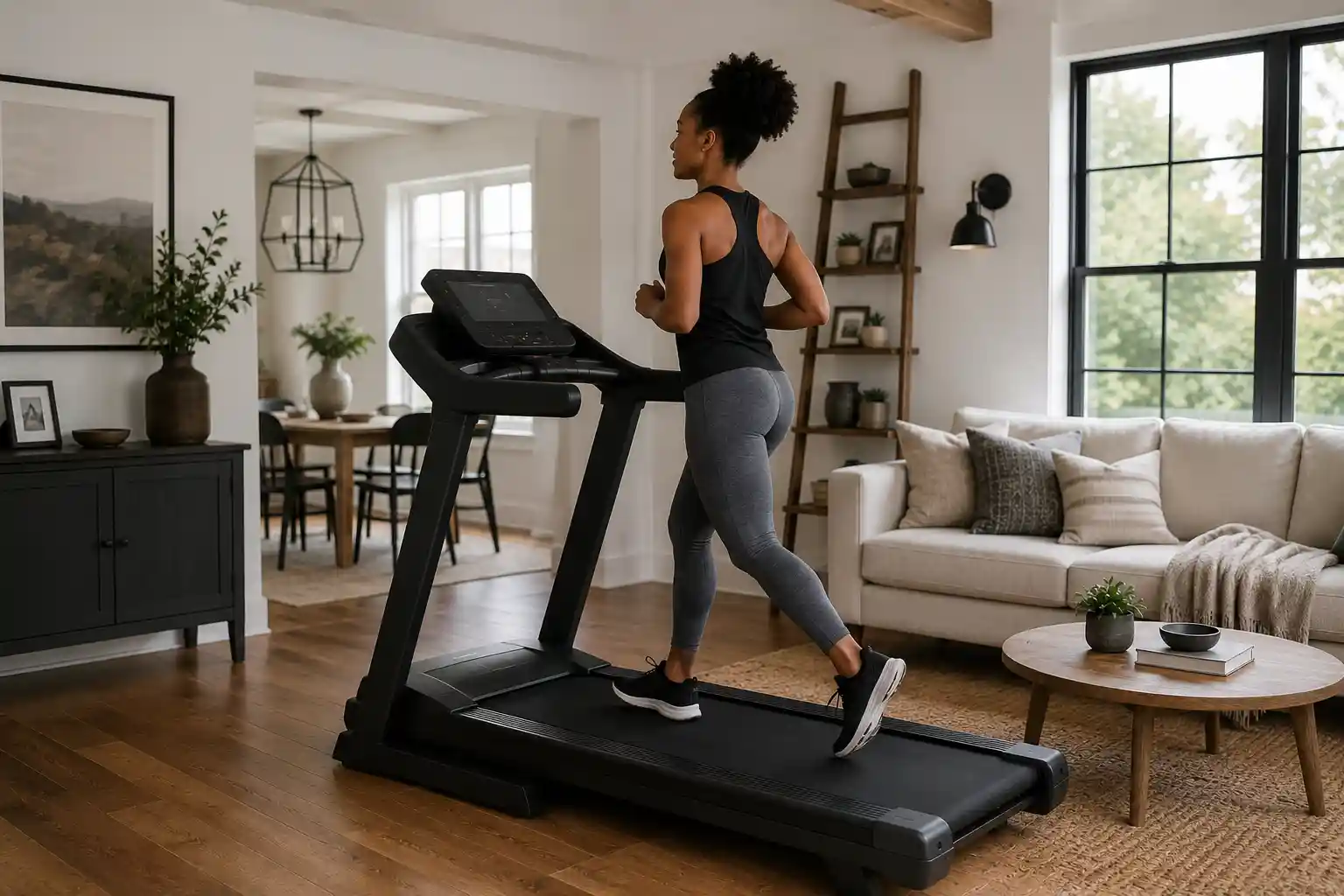
Best Treadmill for Home (2026): Top Picks Ranked for Faster, Smarter Buying
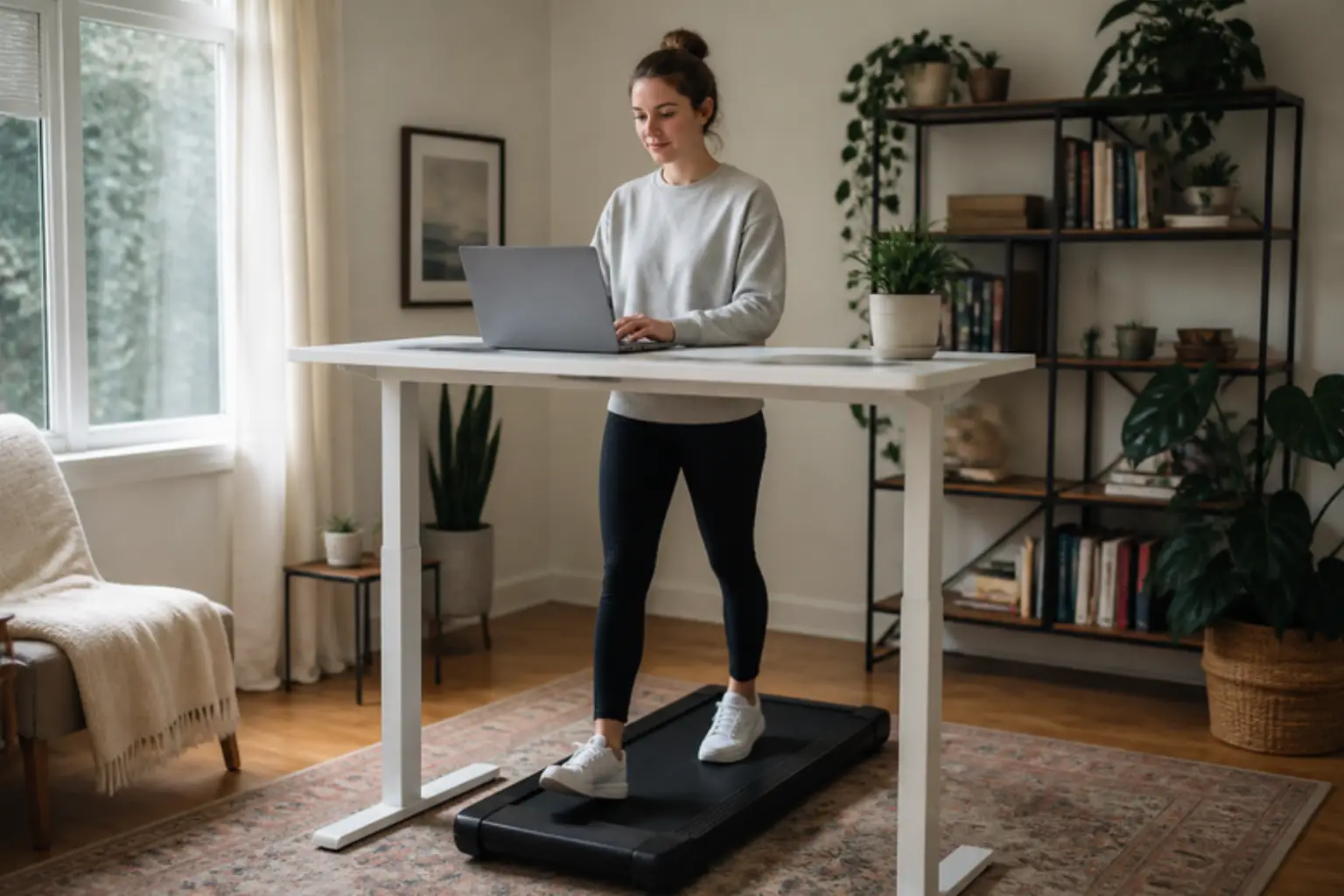
Best Walking Pad (2026): 5 Picks for Home and Under-Desk Walking
This article contains affiliate links. If you click through and make a purchase, we may earn a small commission at no extra cost to you. As an Amazon Associate, we earn from qualifying purchases. We do not show prices because they change constantly: product details and availability can change at any time, so please check the current price and details directly on Amazon. Learn more. Amazon and the Amazon logo are trademarks of Amazon.com, Inc. or its affiliates.
