
Short answer
Yes. Every NordicTrack treadmill runs in manual mode without iFIT: press Start, then set speed and incline yourself while the console shows your stats. What you lose is the smart layer, including trainer-led workouts that adjust the machine, SmartAdjust, ActivePulse, map routes, app syncing and, on touchscreen models, streaming. Cushioning, incline, decline and folding all still work.
Key takeaways
- Every NordicTrack treadmill runs in manual mode without iFIT.
- Trainer-led control, SmartAdjust, ActivePulse, map routes, syncing and streaming need iFIT.
- LCD models list iFIT Train; touchscreen models list iFIT Pro.
- Cushioning, incline, decline and folding work without a membership.
- If you will never subscribe, Horizon, XTERRA and Sole models give longer warranties.
- Manual mode plus a simple written plan covers most home training goals.
NordicTrack sells some of the best-equipped treadmills on Amazon, and almost every listing ties its smart features to an iFIT membership. That raises a fair question before you buy: if you skip iFIT, or cancel it later, do you still have a working treadmill?
You do. This guide explains what manual mode does, which features need iFIT Train or iFIT Pro on each model, how to train well without a membership and when a different brand makes more sense. Model facts come from our NordicTrack reviews and the Amazon listings, and iFIT details come from NordicTrack’s own FAQ and membership pages. For a brand-level view, see best treadmill brands and Horizon vs NordicTrack.
Yes, Manual Mode Works Without iFIT
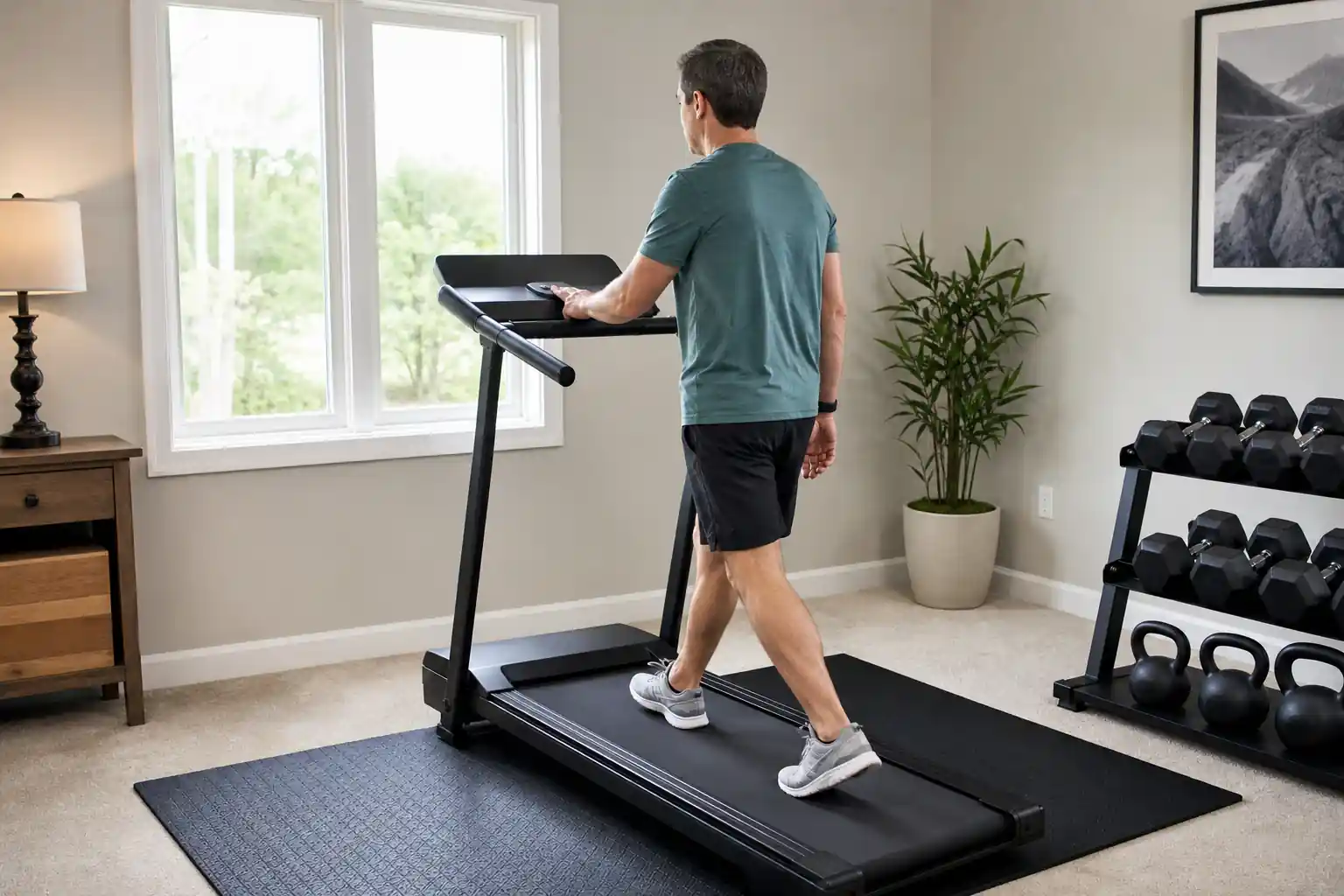
NordicTrack’s iFIT FAQ describes manual mode in one line: push the Start button on your machine to begin a workout. You then set speed and incline with the console buttons, and the display shows your workout stats. No account, class or membership is needed for that basic function.
NordicTrack also states that the iFIT subscription is required for the advertised coach-controlled interactive personal training experience. In plain terms, the treadmill works; the trainer-led and adaptive features do not. Our NordicTrack T Series 7 review puts it the same way: without the membership, you get a simple manual treadmill.
NordicTrack’s membership guide adds that some basic functionality may remain available without an active membership, while workout content and advanced features typically require a paid plan. Features change with software updates, so check the current terms on the product page before you buy.
What Works Without iFIT and What Needs It
The Amazon listings for current NordicTrack treadmills mark each smart feature with the membership it needs. The table groups them. Hardware features work on their own; anything that adapts the workout, guides you or syncs your data runs through iFIT.
The biggest loss is automatic control. With iFIT, a trainer’s workout or a map route changes your speed and incline for you. In manual mode you make every change yourself, which works fine for steady walks and simple intervals but takes more effort for structured sessions.
| Feature | Without iFIT | With iFIT |
|---|---|---|
| Manual speed and incline control | Yes | Yes |
| Live stats on the console | Yes | Yes |
| Adjustable SelectFlex or RunFlex cushioning | Yes (mechanical) | Yes |
| Decline on Commercial 1250, 1750, 2450 and LE | Yes, set manually | Yes, also auto-controlled |
| Trainer-led workouts that control the treadmill | No | Yes |
| SmartAdjust adaptive speed and incline | No | Yes |
| ActivePulse heart-rate control | No | Yes, with a Bluetooth HR monitor |
| Google Maps route workouts | No | Yes |
| AI Coach and syncing with Strava, Garmin Connect, Apple Health | No | Yes |
| Streaming shows on touchscreen models | No | Yes, iFIT Pro |
Check Amazon for current pricing and availability.
iFIT Train vs iFIT Pro: Which NordicTrack Models Use Which
NordicTrack’s membership guide describes two tiers. iFIT Train is designed for use on a phone or tablet, with access to the workout library for one user. iFIT Pro is designed for equipment with built-in touchscreens and adds on-screen tracking, streaming apps and multiple user profiles.
That split matches the listings. Models with a small LCD and a device shelf use iFIT Train through your own tablet; models with a built-in touchscreen list iFIT Pro. On a touchscreen model, skipping iFIT leaves the large screen with far less to do, so the case for buying one without a membership is weaker. Our NordicTrack vs ProForm comparison covers the same split on ProForm models.
| Model | Console | Membership for smart features | Motor and deck |
|---|---|---|---|
| T Series 5 | 5-in LCD | iFIT Train | 2.6 HP, 18 × 55 in |
| T Series 7 | 5-in LCD | iFIT Train | 2.6 HP, 20 × 55 in |
| T 6.5 S | 5-in LCD | iFIT Train | 2.8 HP, 20 × 55 in |
| Commercial LE | 7-in LCD | iFIT Train | 3.6 HP, 22 × 60 in |
| T Series 10 | 10-in touchscreen | iFIT Pro | 3 HP, 20 × 60 in |
| T Series 16 | 16-in touchscreen | iFIT Pro | 3.6 HP, 20 × 60 in |
| Commercial 1250 | 10-in touchscreen | iFIT Pro | 3.6 HP, 22 × 60 in |
| Commercial 1750 | 16-in touchscreen | iFIT Pro | 4.25 HP, 22 × 60 in |
| Commercial 2450 | 24-in touchscreen | iFIT Pro | 4.25 HP, 22 × 60 in |
Pro tip: If you are unsure about iFIT, an LCD model such as the T Series 7 loses less without a membership than a touchscreen model, because the screen you pay for is smaller.
How to Train Well in Manual Mode
Manual mode is enough to meet the CDC activity guidelines for adults: at least 150 minutes a week of moderate activity such as brisk walking, or 75 minutes of vigorous activity such as running. What you need is a plan, since the treadmill will not build one for you.
Simple formats work well with manual controls. Try a 12-3-30 incline walk, set paces from our treadmill pace chart or run the intervals in our treadmill HIIT workouts guide. On models with decline, alternating incline and decline blocks adds variety without any app.
To track progress without iFIT syncing, log time, distance and incline from the console in a notebook or a phone app, or wear a watch or chest strap that records heart rate. You can also stream any workout video on your own tablet from the device shelf; the treadmill just will not adjust itself to match.
- Walkers: brisk pace plus incline blocks of a few minutes each.
- Joggers: steady runs with a weekly session of short faster segments.
- Runners: intervals and tempo runs from a written plan, set by hand.
Is a NordicTrack Worth It If You Skip iFIT?
It can be, if the hardware is what you want. NordicTrack’s adjustable SelectFlex cushioning on the T Series 7 and T Series 10 works with or without a membership, and the Commercial models add decline to 3% and 22 × 60-inch decks. Those features are why NordicTrack models rank high in our cushioned treadmill and running treadmill guides.
The trade-off is warranty and value. In our reviews, NordicTrack T Series motors carry 1 to 2 years of coverage and several Commercial models list 2 years on frame, motor and parts, while Horizon, Sole and the XTERRA TR75 list lifetime frame and motor warranties. If you will never use iFIT, part of what you pay for goes unused. The FTC explains how to read a warranty before you compare.
A good rule: choose NordicTrack without iFIT only when a specific hardware feature, such as adjustable cushioning or decline, matters more to you than a longer warranty. Otherwise a brand built for no-subscription use gives you more for the money. Our Sole vs NordicTrack comparison shows the difference model by model.
Best NordicTrack Treadmills to Run Without iFIT
If you want a NordicTrack and plan to train mostly in manual mode, pick a model whose hardware does the work. The T Series 7 is our top walking treadmill, with SelectFlex cushioning and a folding frame on a small LCD model. The T Series 10 adds a 3.0 HP motor, a 20 × 60-inch deck and 12% incline for jogging.
For running, the Commercial 1250 gives a 22 × 60-inch deck, 12% incline to 3% decline and a 400-lb rating. Its touchscreen does less without iFIT Pro, but the deck and decline do not depend on it.
Best for Walking
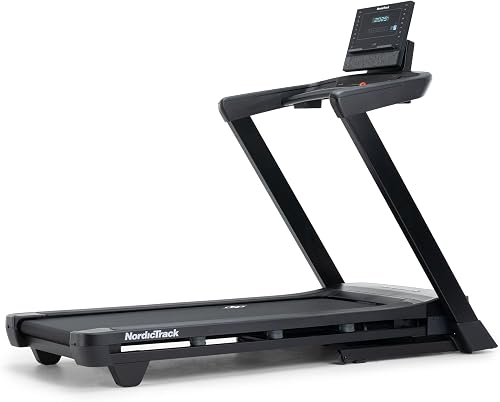
NordicTrack T Series 7
FitScore 78.9/100
SelectFlex cushioning, 10% incline and a folding frame; the small LCD means little goes unused without iFIT.
Ranked in our Best Treadmill for Walking guide
Check Price on AmazonBest for Jogging
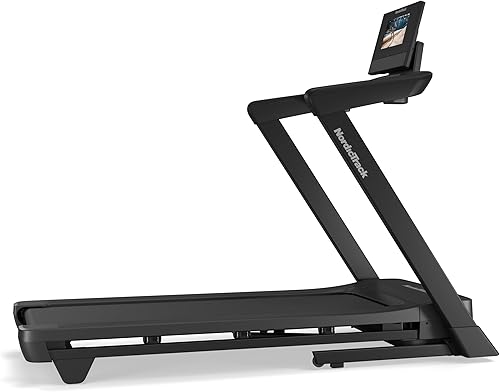
NordicTrack T Series 10
FitScore 82.4/100
A 3.0 HP motor, 20 × 60-inch deck, 12% incline and adjustable cushioning that works in manual mode.
Ranked in our Best Treadmill for Jogging guide
Check Price on AmazonBest for Running

NordicTrack Commercial 1250
FitScore 86.9/100
A 22 × 60-inch deck, 3% decline and a 400-lb rating; the hardware stands on its own.
Ranked in our Best Treadmill for Running guide
Check Price on AmazonAlternatives If You Never Want a Subscription
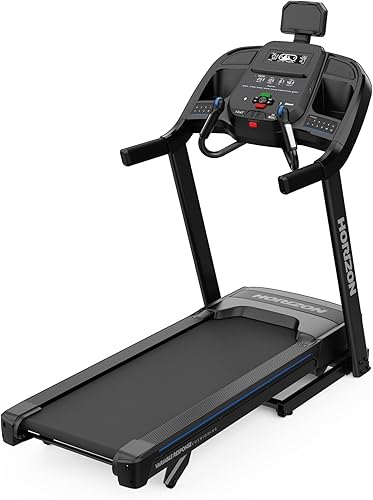
If you already know you will not subscribe, start with treadmills designed for it. The Horizon 7.0 AT tops our best treadmill without subscription guide with a 3.0 HP motor, 15% incline, a 20 × 60-inch deck and lifetime frame and motor coverage. The XTERRA TR75 adds built-in programs on the console and a 350-lb rating.
If a large screen is the attraction, the Sole F80 is the no-subscription alternative in our best treadmill with screen guide: a 10.1-inch touchscreen, 15% incline, 22 × 60-inch deck and no paid plan needed for its built-in programs.
Pro tip: If you start an iFIT trial with a new NordicTrack, set a reminder before it renews. The FTC explains how free trials and auto-renewals work and how to cancel.
Best Overall
Horizon 7.0 AT
FitScore 80.6/100
Lifetime frame and motor coverage, 15% incline and a 20 × 60-inch deck with no membership.
Ranked in our Best Treadmill Without Subscription guide
Check Price on AmazonMost Programs

XTERRA Sport Series – TR75
FitScore 79.6/100
Built-in programs, a 350-lb rating and lifetime frame and motor warranty.
Ranked in our Best Treadmill Without Subscription guide
Check Price on AmazonTouchscreen, No Plan

Sole F80
FitScore 86/100
A 10.1-inch touchscreen and built-in programs without a paid plan, plus a 22 × 60-inch deck.
Ranked in our Best Treadmill With Screen guide
Check Price on AmazonChecklist Before You Buy
- Confirm on the product page that manual mode is available out of the box.
- Check which membership the model lists: iFIT Train or iFIT Pro.
- List the iFIT features you would actually use, then decide whether you need them.
- Compare the motor and parts warranty with no-subscription brands.
- Prefer an LCD model if you are unsure about iFIT, so fewer of the features you pay for go unused.
- Check that cushioning, incline and decline are hardware features, not app features.
- Plan how you will track workouts without iFIT syncing.
- Note any trial renewal date before activating a membership.
Common Mistakes to Avoid
- Buying a large-touchscreen model and never subscribing, leaving the screen mostly idle.
- Assuming built-in programs replace iFIT; many current NordicTrack listings do not describe built-in programs.
- Ignoring short motor warranties when the membership was the main selling point.
- Forgetting that ActivePulse also needs a Bluetooth heart-rate monitor sold separately.
- Letting an iFIT trial renew without deciding whether you want it.
The Bottom Line
- NordicTrack’s iFIT FAQ says you can start a workout in manual mode by pressing Start and that the subscription is required for the coach-controlled training experience.
- LCD models such as the T Series 5 and 7 list smart features as iFIT Train required; touchscreen models such as the T Series 10, 16 and Commercial 1250, 1750 and 2450 list iFIT Pro.
- Hardware features such as SelectFlex or RunFlex cushioning, power incline, decline on Commercial models and folding work without a membership.
- NordicTrack motor warranties in our reviews run 1 to 2 years on T Series models; the Commercial 2450 lists a lifetime motor warranty.
- Our top no-subscription treadmill, the Horizon 7.0 AT, scores 80.6 and carries lifetime frame and motor coverage.
Our Top Picks
 Best for WalkingNordicTrack T Series 7FitScore78.9/100Check on Amazon
- Best for JoggingNordicTrack T Series 10FitScore82.4/100Check on Amazon
- Best for RunningNordicTrack Commercial 1250FitScore86.9/100Check on Amazon
- Best OverallHorizon 7.0 ATFitScore80.6/100Check on Amazon
- Most ProgramsXTERRA Sport Series – TR75FitScore79.6/100Check on Amazon
- Touchscreen, No PlanSole F80FitScore86/100Check on Amazon
Frequently Asked Questions
Yes. Press Start to run in manual mode and set speed and incline yourself. iFIT is required for trainer-led workouts and the smart features.
The treadmill keeps working in manual mode. NordicTrack’s FAQ says you may keep access to a limited number of iFIT workouts, while full content and smart features require an active membership.
Do not count on it. Many current NordicTrack listings, including the T Series 7, do not describe built-in programs and point to iFIT for guided workouts.
Yes. Power incline, and decline on Commercial models, work from the console buttons. Only automatic changes from iFIT workouts need the membership.
iFIT Train is designed for use on a phone or tablet for one user. iFIT Pro is designed for built-in touchscreens and adds on-screen tracking, streaming apps and multiple profiles.
NordicTrack’s listings do not advertise open third-party app support. If that matters, choose a model that lists third-party apps, such as the Horizon 7.0 AT or Schwinn SFT4.3.
The Horizon 7.0 AT ranks first in our best treadmill without subscription guide, with lifetime frame and motor coverage.
Explore More Treadmill Guides
Best Treadmill Without Subscription (2026): 5 Picks With No Required Paid Plan
Horizon vs NordicTrack (2026): Simple Controls or iFIT Classes?
NordicTrack vs ProForm (2026): Which iFIT Treadmill Brand Fits You?
Sole vs NordicTrack (2026): Which Treadmill Brand Is Right for You?

Best Treadmill With Classes (2026): 5 Connected Training Picks
Best Treadmill Brands (2026): Who Makes the Best Treadmill for Your Home
This article contains affiliate links. If you click through and make a purchase, we may earn a small commission at no extra cost to you. As an Amazon Associate, we earn from qualifying purchases. We do not show prices because they change constantly: product details and availability can change at any time, so please check the current price and details directly on Amazon. Learn more. Amazon and the Amazon logo are trademarks of Amazon.com, Inc. or its affiliates.
